Meta
Usage
Supported Meta Fields
The meta information you can define for a page is as follows:
- General
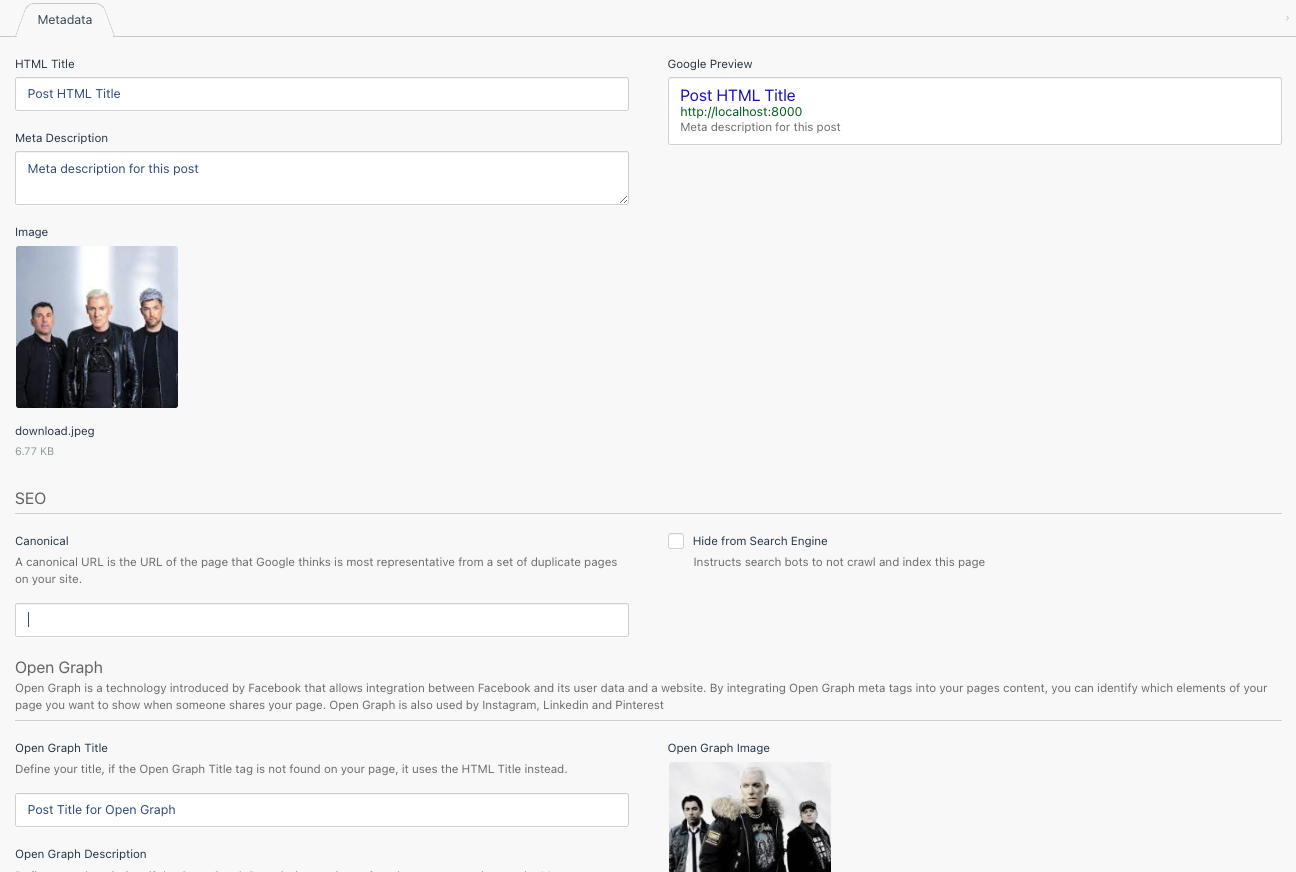
- HTML Title
- Meta Description
- Meta Image (excl. Pages Plugin)
- Open Graph
- Title
- Description
- Image (excl. Pages Plugin)
- Twitter Card
- Title
- Description
- Image (excl. Pages Plugin)
In The Backend
Within The Pages Plugin
Once installed, you can set the meta information for any page defined within the Pages Plugin.
You can see and edit this data by clicking into the page within the Pages Plugin and clicking the Meta tab above the page content.
Within Custom Plugins
Go to the model you wish to add meta information to, and implement the Metadatable Class. Make sure you also use the Metadatable Trait.
You will also need to add the getDefaultMetadata() method stub. Inside this method, you will be building an array of the fallbacks this model will use in place of missing meta information:
<?php

  namespace App\Blog\Models;

  use Jump\Images\Classes\Glide;
  use Jump\Metadata\Classes\Metadatable;
  use Jump\Metadata\Traits\Metadatable as MetadatableTrait;

  class Post extends Model implements Metadatable
  {
    use MetadatableTrait;

    ...

    protected function getDefaultMetadata(): array
    {
      return [
        'title' => $this->title,
        'description' => $this->introduction,
        'image' => Glide::apply($this->image, [
          'w' => 1200,
          'h' => 630,
          'fit' => 'crop',
          'fm' => 'pjpg',
          'q' => 90,
        ])
      ];
    }
  }
You do not need to define all of the meta information here. As you will see, any frontend fallbacks will also be in play once you view your plugin pages on the frontend.
For example, if you only define an HTML Title, the Twitter Card and Open Graph titles will default to that.
Once your model has been set up to use Metadatable, go to the Plugin in the CMS and then select a record. You will see the meta information is now available to be edited:
On The Front End
By default, in the base project you can find the front end usage of the Metadata plugin in the meta.htm file.
Initially, a range of variables are set, providing various fallbacks should certain pieces of data not be set.
{% set displayTitle = this.page.meta_title ? this.page.meta_title : this.page.title %}
{% set fallbackImage = url('/themes/app/assets/images/social-media-logo.png') %}
{% set displayImage = this.page.meta_image ? url(this.page.meta_image) : fallbackImage %}

{% set displayOpenGraphTitle = this.page.meta_open_graph_title ? this.page.meta_open_graph_title : displayTitle %}
{% set displayOpenGraphDescription = this.pagxe.meta_open_graph_description ? this.page.meta_open_graph_description : this.page.meta_description %}
{% set displayOpenGraphImage = this.page.meta_open_graph_image ? this.page.meta_open_graph_image : displayImage %}

{% set displayTwitterCardTitle = this.page.meta_twitter_card_title ? this.page.meta_twitter_card_title : displayTitle %}
{% set displayTwitterCardDescription = this.page.meta_twitter_card_description ? this.page.meta_twitter_card_description : this.page.meta_description %}
{% set displayTwitterCardImage = this.page.meta_twitter_card_image ? this.page.meta_twitter_card_image : displayImage %}
Once set, they are then assigned to the appropriate meta tags:
<title>{{ displayTitle }} | {{ site('name') }}</title>
<meta name="title" content="{{ this.page.meta_title }}">

{% if this.page.meta_description %}
<meta name="description" content="{{ stripTags(this.page.meta_description) }}">
{% endif %}

<link rel="canonical" href="{{ url(getProductListCanonical() ?: this.page.meta_canonical ?: getCanonicalLink()) }}" />

<meta name="twitter:image" content="{{ displayTwitterCardImage }}">
<meta name="twitter:card" content="summary_large_image">
<meta name="twitter:site" content="{{ displayTwitterCardTitle }}">
<meta name="twitter:title" content="{{ displayTwitterCardTitle }}">
<meta name="twitter:description" content="{{ stripTags(displayTwitterCardDescription) }}">
<meta name="twitter:creator" content="@wesayhowhigh">

<meta property="og:title" content="{{ displayOpenGraphTitle }}" />
<meta property="og:type" content="article" />
<meta property="og:description" content="{{ stripTags(displayOpenGraphDescription) }}" />
<meta property="og:image" content="{{ displayOpenGraphImage }}"/>
<meta property="og:site_name" content="{{ site('name') }}" />
<meta property="og:url" content="{{ getCanonicalLink() }}" />